BESTMARKED guide
Split Time Explained: How Runners Use Every Segment
Split time is the elapsed time for a defined segment of a run, race, or workout. Clean splits help athletes review pacing, compare repeated efforts, and understand where performance changed.

What does split time mean?
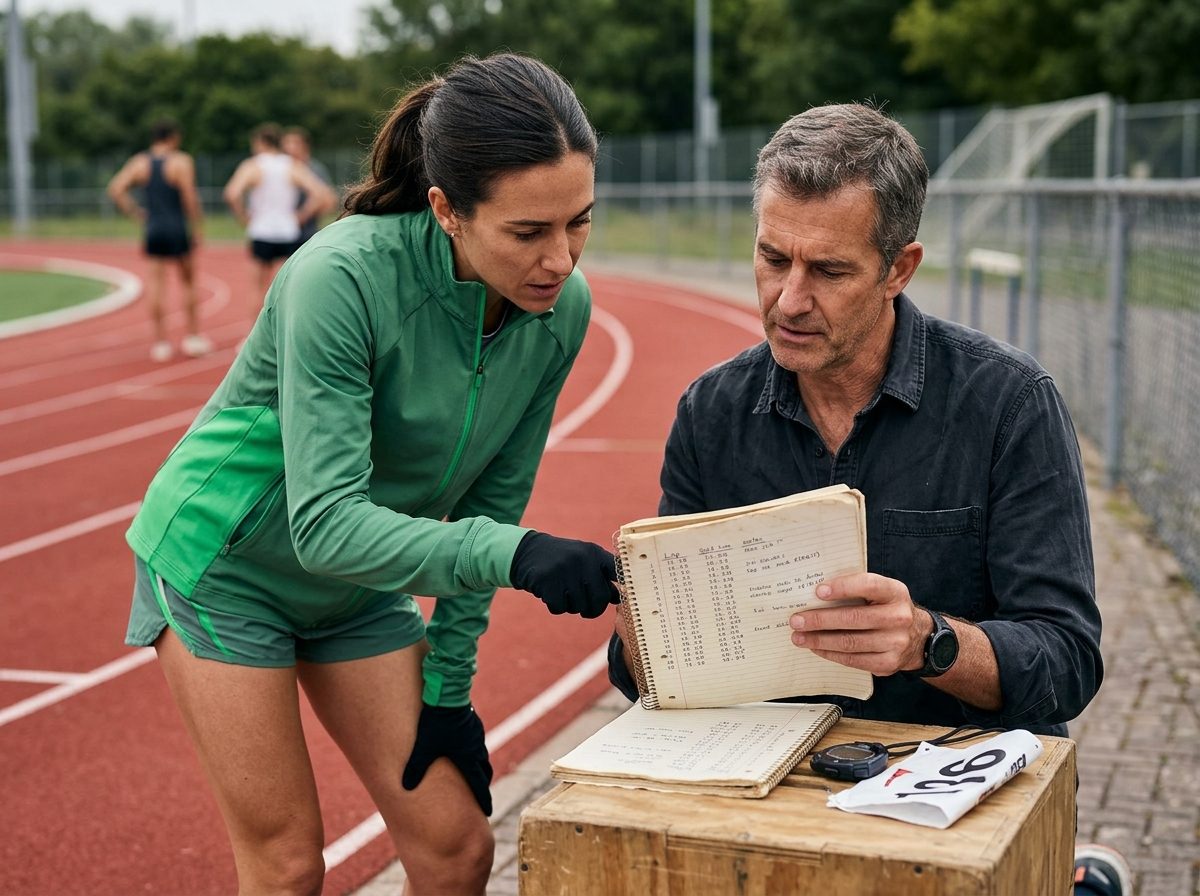
A split time records how long it takes to complete one defined part of an activity. The segment might be a lap, a marked section of a course, a repeat in a workout, or another distance chosen before the timer starts. Each split gives that segment its own result while the overall clock continues to represent the complete session.
This makes splits more useful than a finish time alone when the goal is to understand how an effort developed. A finish time shows the final outcome. Split records show whether the athlete opened smoothly, changed rhythm through the middle, or finished with greater or lower speed. The meaning stays simple: one segment, measured clearly, within a larger effort.
How is split time different from pace?

Split time and pace describe related parts of performance, but they answer different questions. Split time asks how long a particular segment took. Pace expresses the relationship between time and distance. A runner can record several split times and then use them to judge whether the underlying pace stayed steady, accelerated, or slowed.
Keeping those ideas separate prevents a common reading mistake. Two segments can have different split times because their distances differ, even when the athlete moved at a similar pace. Useful comparison begins with matching segments. Before judging a change, confirm that the distance, start point, end point, and timing method were consistent.
How should runners record split time?
Decide on the segments before the session begins. On a track, that may mean using the same lap boundary for every repetition. On a road or cross-country route, use visible markers that are easy to recognize without disrupting form. A coach using a handheld stopwatch should stand where the line can be seen clearly and apply the same timing action for each athlete.
During the session, record each split immediately and label it so the result can be interpreted later. A clean record connects the athlete, segment, and session. If a timing action was late, a marker was missed, or conditions changed, note it instead of treating the value as perfectly comparable.
- Choose the segment boundaries before starting.
- Use the same timing method for comparable efforts.
- Label every split by athlete and segment.
- Record timing notes while the session is still fresh.
- Keep the complete sequence instead of saving only the fastest result.
What can a single split tell you?
One split is a snapshot, not a complete judgment of fitness. It can show what happened over its defined segment, but it cannot explain every cause behind the result. Terrain, wind, traffic, recovery, instructions, and timing error can all affect the reading. The best interpretation combines the number with the context of the session.
A sequence of comparable splits is more informative. Even splits suggest controlled execution. A gradual slowdown may point to pacing, recovery, or session difficulty. A faster closing segment may show that the athlete managed effort conservatively. These patterns should guide questions for the next workout rather than become fixed labels about ability.
- Was the segment distance consistent?
- Did the athlete follow the planned effort?
- Were course and weather conditions comparable?
- Was the same timer and timing method used?
- Does the pattern repeat across similar sessions?
How do coaches compare splits responsibly?
Start with the purpose of the workout. A recovery run, controlled tempo, sprint repetition, and race simulation should not be evaluated by the same standard. Compare the recorded pattern with the session goal, then discuss what the athlete felt and what the coach observed. Split data supports that conversation; it does not replace it.
Longer-term review works best when comparable sessions are grouped together. Look for repeatable direction across similar distances and conditions instead of reacting to one unusually fast or slow segment. Keep timing notes alongside the result, and explain how athlete data is handled. BESTMARKED provides privacy information for people who want to understand the product's data practices.
How can BESTMARKED support split tracking?
BESTMARKED is built for athletes and coaches who need a clear place to capture timing work and review progress. Use the timer with planned segment boundaries, save each result with enough context to recognize the session, and return to the record when planning the next comparable effort. The goal is a usable training history, not a pile of isolated stopwatch readings.
Visit the BESTMARKED home to start from the product's main workflow. When recording a session, favor consistency over complexity: define the segment, time it cleanly, save the complete sequence, and add useful notes. That routine turns split time into evidence an athlete or coach can discuss and act on.
- Plan the segments.
- Capture each result consistently.
- Keep the full sequence.
- Review patterns with session context.
- Use the findings to shape the next comparable effort.
Frequently asked questions
What is a split time in running?
It is the elapsed time for a defined segment of a run, such as a lap, course section, or planned workout repeat.
Is split time the same as finish time?
No. Finish time covers the complete activity, while a split describes one segment within that activity.
Is split time the same as pace?
No. Split time measures a segment's duration. Pace relates time to distance and can be interpreted from comparable split records.
What is a negative split?
It describes an effort in which a later portion is completed faster than an earlier comparable portion.
How should coaches use split data?
Use it with the workout goal, athlete feedback, conditions, and timing notes. Look for repeatable patterns across comparable sessions.
Continue learning
Official sources and references
Review information
Reviewed by: BESTMARKED Editorial Team. Last reviewed: 2026-08-25