BESTMARKED guide
Lap Splits: How to Calculate, Record, and Use Them
A lap split is the elapsed time for one completed lap or defined segment. Calculate an even target by dividing the planned total time by the number of equal laps, then compare each recorded lap with that target. Keep lap time separate from cumulative time so athletes and coaches can see both the pace of the latest segment and overall progress.
What does a lap split tell you?
A lap split answers a narrow but useful question: how long did the latest lap or segment take? It helps an athlete judge pacing while the effort is still underway and gives a coach a consistent checkpoint for later review.
Lap time and cumulative time are related, but they are not interchangeable. Lap time covers the segment that has just ended. Cumulative time runs from the start to the current checkpoint. A useful timing record keeps both because a single slow lap may be easy to spot in the lap column while its effect on the whole effort appears in the cumulative column.
A split also needs context. Surface, wind, turns, traffic, recovery duration, and timing method can change the result. Treat the recorded time as evidence from a particular session, not as a complete judgment of fitness.
How do you calculate an even lap split?
Start with a target finish time and divide it by the number of equal laps. RunCalcs describes the same underlying method: convert the target to a common time unit, calculate pace from time and distance, multiply by the checkpoint length, and accumulate the results for cumulative splits.
For example, a six-minute target across four equal laps produces a target of one minute and thirty seconds per lap. The cumulative checkpoints are one minute and thirty seconds, three minutes, four minutes and thirty seconds, and six minutes. RunBundle likewise explains that entering distance with pace or total time can produce individual lap and cumulative splits.
Do not round each intermediate calculation if precision matters. Calculate with the full value, then round the displayed split at the end. Early rounding can make the displayed laps fail to add back to the intended finish time.
- Choose a checkpoint that matches the workout or course markers.
- Convert the finish goal into one consistent time unit.
- Divide by equal laps for an even plan.
- Add each lap result to create cumulative checkpoints.
- Write down the rounding rule before timing begins.
Should every lap have the same target?
Equal splits are a clean baseline, especially on a uniform track, but they are not a rule for every session. A positive-split plan makes the opening portion faster. A negative-split plan makes the closing portion faster. RunCalcs supports all three patterns while keeping the intended overall finish time fixed.
The right choice depends on the purpose of the effort. Even targets make execution easy to judge. A controlled progression can teach patience before a stronger finish. Variable targets may fit hills, tactical racing, planned recovery changes, or a workout that alternates effort.
Keep the plan simple enough to use while moving. If every checkpoint requires fresh arithmetic, the plan is likely too complicated for reliable callouts or mid-effort decisions.
How should a coach record lap splits?
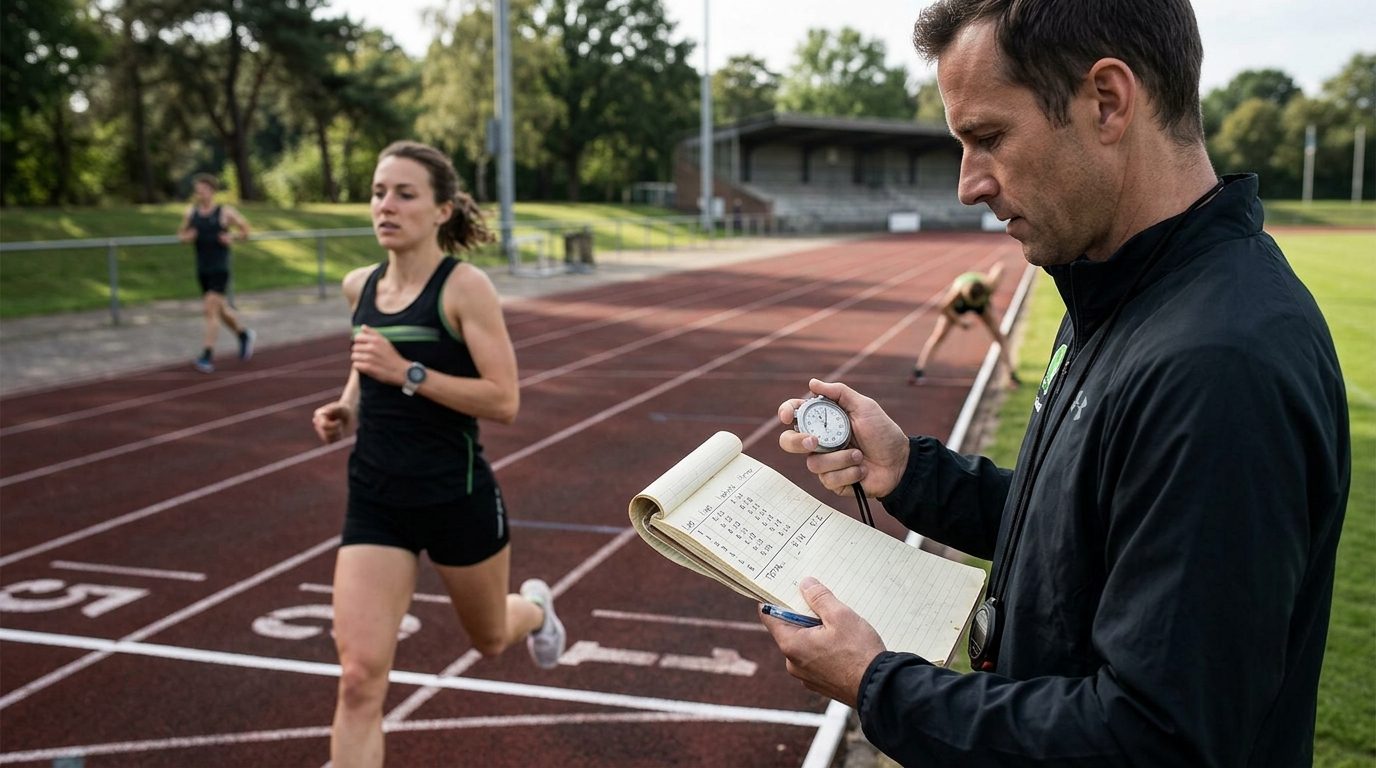
Prepare the recording method before the start. Put athletes in a stable order, decide who calls times and who records them, and confirm whether the stopwatch displays the latest lap or total elapsed time. That small check prevents a column of cumulative values from being mistaken for individual laps.
For a group, record an athlete identifier, the lap split, the cumulative time, and a short context note when something unusual happens. If several athletes cross close together, preserve their order first and fill in secondary notes after the rush passes.
Use one timing convention throughout the session. Switching between elapsed time and lap mode halfway through makes later comparison difficult. A dedicated race-timing workflow can help when a phone stopwatch and handwritten sheet no longer keep the group organized.
What does a missed split actually mean?
Compare the size and pattern of the difference before changing the plan. One unusual lap may reflect a crowded bend, a delayed button press, or a brief tactical choice. A sequence of gradually slower laps points to a different pacing problem than one isolated result.
Check cumulative time as well as the latest lap. An athlete can miss one checkpoint and still return to the overall plan without forcing an immediate surge. Chasing every small deviation may create larger swings and make the remaining effort harder to control.
For road efforts, official markers and GPS distance may disagree. RunCalcs advises using elapsed time at official course markers when GPS fluctuation conflicts with measured checkpoints. Record which source you trusted so the review remains understandable.
- Is the difference isolated or repeated?
- Did conditions change during that segment?
- Was the timing action clean and unambiguous?
- Does cumulative time show the athlete is still near the overall plan?
- Would correcting immediately disrupt the intended effort?
How can lap splits support progress tracking?
Save enough context to make later comparisons fair. Note the route or lane, workout structure, recovery pattern, weather conditions, and timing method. Comparing bare split times from unlike sessions can suggest progress or decline that the sessions do not actually support.
Look for repeatable patterns rather than selecting the fastest isolated lap. An athlete may improve by holding the intended pace more consistently, recovering with better control, or finishing a progression as planned. Those observations are often more actionable than a single personal-best mark.
A timing app can keep splits and progress records together, while the broader split-time guide explains how segment timing differs from total elapsed time. The important habit is consistency: define the checkpoint, record it the same way, preserve the context, and review the result against the session goal.
Frequently asked questions
What is the difference between a lap split and cumulative time?
A lap split measures only the latest completed lap or segment. Cumulative time measures everything from the start through that checkpoint. Recording both shows where pace changed and how that change affected the overall effort.
How do I calculate a target lap split?
For equal laps, divide the target total time by the number of laps. Keep full precision during the calculation and round only the displayed result so the checkpoints remain consistent with the finish goal.
Is a slower lap always a pacing mistake?
No. A slower lap can reflect terrain, wind, traffic, a timing error, or an intentional change in effort. Check the surrounding splits, cumulative time, and session context before deciding what it means.
Should I use lap time or elapsed time during a workout?
Use lap time to judge the most recent segment and elapsed time to judge overall progress. If possible, record both and keep the display mode consistent for the entire session.
Can lap splits be compared across different sessions?
Yes, but the comparison is more useful when the distance, recovery, surface, conditions, and timing method are similar. Save those details with the results instead of comparing bare times alone.
Continue learning
Official sources and references
Review information
Reviewed by: BESTMARKED Editorial Team. Last reviewed: