BESTMARKED guide
Race Clock Timer: Choose the Right Setup for Training or Events
The right race clock timer depends on what must be visible, who records each finish, and what you need to do with the times afterward. Choose a large display for spectators, a browser timer for a quick shared setup, or an athlete-focused timing app when reviewing performance matters. Before committing, check visibility, controls, power, connectivity, and backup timing under real venue conditions.
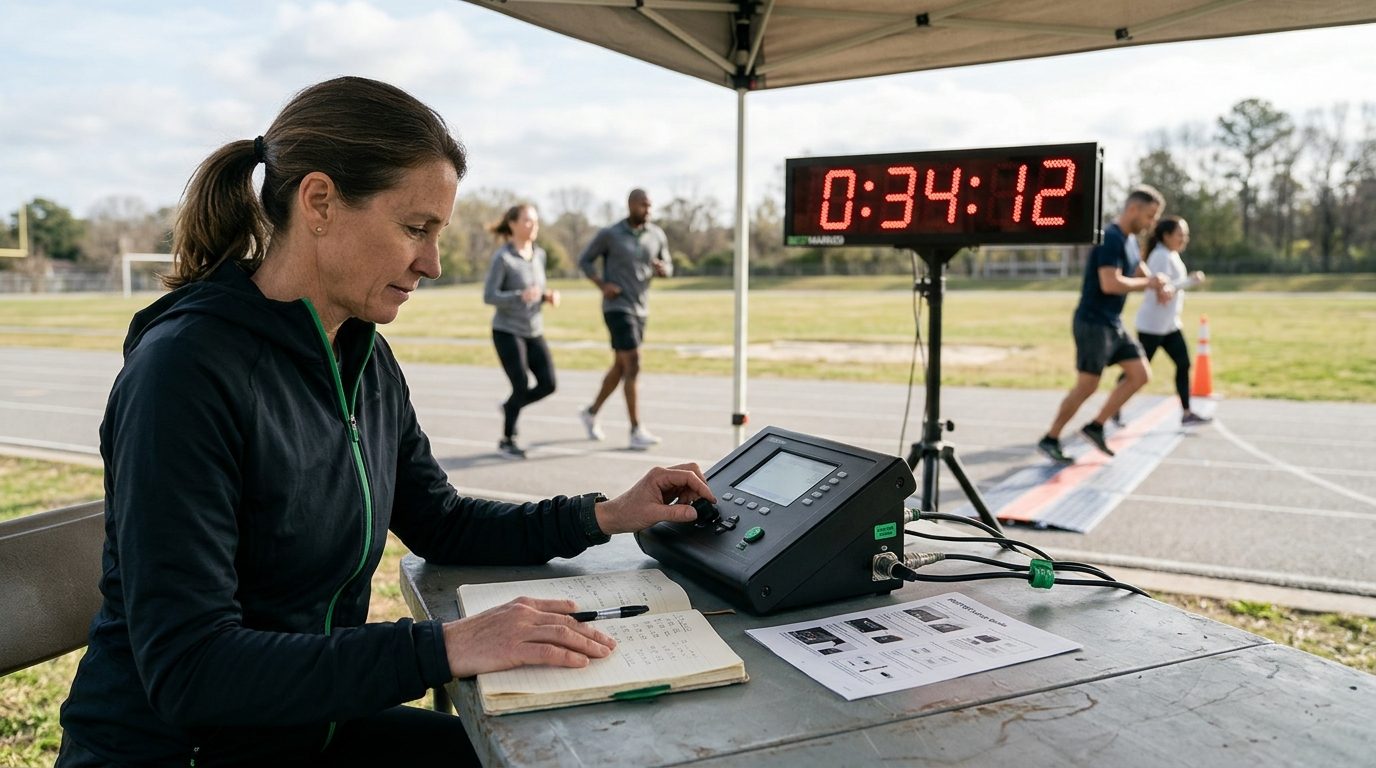
What kind of race clock timer do you need?
Start with the job, not the screen. A finish-line display, an operator’s timing tool, and an athlete’s training log can all be called a race clock timer, but they solve different problems.
A display clock makes elapsed time easy to see from the course or track. A browser timer is convenient when you already have a suitable phone, tablet, or computer. An athlete-focused app is more useful when the time needs to support later review, rather than disappearing when the clock is reset.
For a small practice, one device may handle several jobs. A public event often benefits from separating the visible clock from the system used to capture results. That way, a display issue does not automatically become a results issue.
- Choose a display clock when distance visibility is the main requirement.
- Choose a browser timer when fast access and simple operation matter most.
- Choose an athlete-focused app when saved timing information and performance review are part of the workflow.
- Use a dedicated event-timing service when official placings, participant records, or complex finish processing are required.
Will athletes and spectators be able to read the clock?
Visibility is more than digit size. Viewing distance, sunlight, mounting height, color contrast, and the direction athletes approach the finish all affect whether a clock is useful.
Dedicated hardware pages emphasize bright numerals and adjustable brightness because outdoor conditions can overwhelm a display that looks clear indoors. Test from the athlete’s approach, the coach’s position, and the spectator area. If any group depends on the clock, confirm that the display remains legible from that location.
A phone or tablet can work well beside an operator, but it may be a poor public display. If you plan to mirror a browser timer to a larger screen, rehearse the entire connection and prevent the device from sleeping during the session.
Who will operate the timer during the race?
The best interface is the one an operator can use correctly while watching the event. A solo coach may need large controls and a simple lap workflow. A meet crew may divide responsibilities among a starter, a clock operator, and a finish recorder.
Look for controls that match the event. Count-up timing suits races and many training efforts. Lap or split capture matters when you need intermediate checkpoints. Separate competitor controls can help with small heats, but they also increase the operator’s workload as the field grows.
Assign one person to own the timing process. Give that person an unobstructed view and a written sequence for starting, recording, correcting mistakes, and ending the session.
Do you need a display, recorded results, or both?
A running clock and a results system are related, but they are not interchangeable. A public clock tells people what the current elapsed time is. Recorded results connect a captured time to an athlete, lap, heat, or finish position.
Some online tools provide racer rows, lap capture, and a shared viewing link. Character race timers serve a different purpose: they make an activity engaging, but randomized outcomes are not suitable for measuring athletic performance. Dedicated display hardware may present the time clearly without managing athlete records.
Decide what must remain after the race. If coaches or athletes will review the effort, use a workflow that preserves the relevant timing record. Explore the BESTMARKED race timer app page for an athlete-focused option, or read the lap and split guide before designing a practice workflow.
What could fail at the venue?
Plan for ordinary problems: glare, rain, a drained battery, a loose cable, an unavailable outlet, weak connectivity, accidental screen touches, or an operator who cannot see the start. The suitable backup depends on which failure would stop the event.
For powered hardware, confirm the power source and cable placement. For a browser timer, load the tool in advance and verify whether the required workflow still works if connectivity changes. For any touch-screen device, disable distractions and keep the controls away from spectators.
Maintain an independent backup when a lost time would matter. The backup can be simple, but it should have its own operator or a clear process that does not depend on the primary display.
How should you test a race clock timer before race day?
Run a realistic rehearsal at the venue. Place the device where it will be used, follow the planned start procedure, record sample finishes, and confirm that the operator can correct an input without losing the rest of the session.
Watch the workflow from the athlete’s perspective. Then check it from the timing position. A setup that feels easy at a desk can become awkward when the operator is wearing gloves, watching several finishers, or standing in direct sunlight.
Finish the rehearsal by confirming what happens to the captured times. Save or transfer anything that must be reviewed later, reset the system, and make sure the next session can begin without rebuilding the setup.
- Confirm the clock is readable from every required viewing position.
- Practice the exact start and finish actions.
- Test laps, splits, or racer controls that the session will use.
- Check power, device sleep settings, and connectivity.
- Run the backup process and confirm who is responsible for it.
- Verify how timing records will be retained or reviewed.
Choose the simplest setup that preserves the result you need
For an informal activity, a browser-based clock may be enough. For a visible finish-line reference, dedicated display hardware is the clearer fit. For coaching and athlete development, favor a timing workflow that supports review after the effort.
Avoid paying for complexity the event will not use, but do not remove the backup or recordkeeping needed to protect meaningful results. The practical choice is the setup your operator can rehearse, athletes can understand, and coaches can use afterward.
If your priority is athlete timing and progress review, get the BESTMARKED app. For technique and terminology before your next session, continue with the split-time running guide.
Frequently asked questions
What is a race clock timer?
A race clock timer measures or displays elapsed time during a race, heat, or training effort. Depending on the product, it may act as a public display, an operator’s stopwatch, a lap tracker, or part of a broader results workflow.
Can a browser timer replace dedicated race-clock hardware?
It can for practices and informal events when the device is visible enough and the operating environment is controlled. Dedicated hardware is usually a better fit when outdoor visibility, mounting, remote operation, or dependable public display is central to the event.
Is a visible race clock the same as official race timing?
No. A visible clock shows elapsed time, while official timing may also require reliable finish capture, athlete identification, placing, record management, and event-specific procedures.
Should a coach record laps or splits?
Record them when intermediate timing will change a training decision or help explain pacing. If only the final elapsed time matters, extra inputs can create unnecessary operator work.
Does a race timer need internet access?
That depends on the tool. Browser access, live sharing, or synchronized views may rely on connectivity, while dedicated hardware and some installed tools may have offline workflows. Verify the exact setup before using it at a venue.
What is the most important pre-race check?
Run the complete timing workflow under realistic conditions. Confirm the start, finish capture, visibility, power, record retention, and backup process rather than testing only whether the clock turns on.
Continue learning
Review information
Reviewed by: BESTMARKED Editorial Team. Last reviewed: